

Word to Google Forms
Convert Word to Google Forms — Free, Online, 1 Click
Upload any .doc or .docx Word document and Formswrite turns it into a Google Form in 30 seconds. Questions, answer choices, formatting, and images all preserved. No copy-paste, no plugins, no credit card.
No credit card
75 free conversions/month
Works with .doc and .docx
How it works?
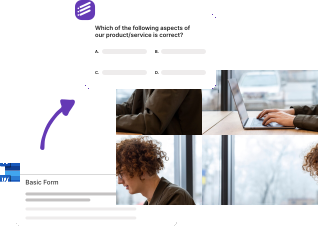
Convert any Word document to a Google Form in three steps. No plugins, no Chrome extensions, no Google Apps Script required.
Step 1
Upload your Word document
Drag and drop your .doc or .docx Word file into Formswrite. We handle Word documents of any size — quizzes, surveys, assessments, application forms, or feedback questionnaires.

Step 2
AI converts Word to Google Forms
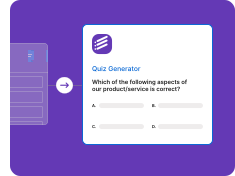
Our AI reads your Word document, identifies every question, extracts answer choices, and detects correct answers. It also preserves headings, lists, tables, and images — exactly as they appeared in Word.
Step 3
Open your Google Form
Your Word document is now a live Google Form. Share the link with students, employees, or respondents — Google Forms handles all responses, scoring, and analytics automatically.

Everything Formswrite preserves when converting Word to Google Forms
Most Word to Google Forms converters lose formatting. Formswrite is the only tool that keeps your document intact — questions, answers, images, and structure.
Convert Word to Google Forms in 1 click
Upload a .doc or .docx file and get a fully formatted Google Form in seconds
• .doc and .docx file support
• Automatic question detection
• Answer choice extraction
• Correct answer detection
• No copy-paste required
Preserve Word formatting
Headings, lists, tables, and images all carry through to your Google Form
• Heading-based section breaks
• Numbered and bulleted lists
• Bold and italic text
• Embedded images
• Table-based question banks
Smart question type detection
Our AI identifies multiple choice, true/false, short answer, and more from your Word document
• Multiple choice questions
• True/false questions
• Short answer questions
• Fill in the blank
• Matching questions
Direct Google Forms export
One click and your Word document becomes a live Google Form ready to share
• Native Google Forms creation
• Answer key support
• Point values for quizzes
• Response validation
• Shareable form link
Who uses Formswrite to convert Word to Google Forms
Teachers, HR teams, trainers, and researchers — anyone with a Word document and a need to collect responses online.
Teachers converting Word quizzes
Already wrote a quiz in Word? Convert it to a Google Form with auto-grading in 30 seconds.
HR converting Word surveys
Onboarding surveys, exit interviews, satisfaction questionnaires — bring them all to Google Forms.
Trainers converting Word assessments
Compliance training, certification quizzes, knowledge checks — Word docs to scoring Google Forms.
Researchers converting Word questionnaires
Surveys, intake forms, screening instruments — Word to Google Forms with response collection.
Stop copy-pasting from Word to Google Forms
50,000+ teachers and trainers convert Word documents to Google Forms with Formswrite — saving 4+ hours every week.
Word to Google Forms FAQ
How do I convert a Word document to a Google Form?
Upload your .doc or .docx file to Formswrite, click convert, and your Word document becomes a Google Form in under 30 seconds. All your questions, answer choices, and formatting are preserved automatically.
Is the Word to Google Forms converter free?
Yes. Formswrite's free plan includes 75 conversions per month — enough for most teachers, trainers, and HR teams. No credit card required to start.
Can I convert .docx files to Google Forms?
Yes. Formswrite supports both .doc and .docx Word formats. Just upload the file and our AI handles the rest.
Does the Word converter preserve images?
Yes. Images embedded in your Word document are automatically included in the resulting Google Form. They render properly and are optimized for display.
Can I convert a Word quiz with multiple choice questions?
Absolutely. Multiple choice is the most common question type — our AI detects questions and answer choices automatically, then sets up the Google Form with proper scoring if it's a quiz.
How does Formswrite compare to manually copying from Word to Google Forms?
Manual copying takes 5–30 minutes per quiz and is error-prone. Formswrite handles the same conversion in 30 seconds with no formatting loss. Most teachers save 4+ hours per week.
The fastest free Word to Google Forms converter online
Formswrite is the fastest way to convert a Word document to a Google Form. Whether you have a .doc or .docx file containing a quiz, survey, application form, or feedback questionnaire, Formswrite's AI reads your Word document, extracts every question and answer choice, and creates a live Google Form in under 30 seconds.
Unlike manual copy-paste workflows or generic file converters, Formswrite understands Word document structure: it detects headings as section breaks, preserves embedded images, recognizes question types (multiple choice, true/false, short answer, fill-in-the-blank), and even identifies correct answers for graded quizzes. The result is a Google Form that looks and behaves exactly like your original Word document — but with automatic grading, response collection, and analytics built in.
Frequently Asked Questions
We have compiled a list of the most frequently asked questions. If you have any other questions, please contact us.
Formswrite makes it easy to convert your Google Docs into Google Forms. Simply write your quiz or assessment in Google Docs following our simple formatting guidelines, then use our one-click conversion to transform it into an interactive Google Form.
We support multiple choice questions (MCQ), true/false questions, open-ended questions, and more. Our system automatically detects the question type and formats it appropriately in Google Forms.
Formswrite is a productivity tool that helps educators and trainers convert their Google Docs into interactive Google Forms with just one click. Perfect for creating quizzes, assessments, and surveys quickly and efficiently.
Yes, any images in your Google Doc will be automatically included in your Google Form. Images are properly formatted and optimized for the best viewing experience.
We provide simple formatting guidelines that make it easy to structure your questions. You can use regular Google Docs formatting, and our system will automatically detect question types and convert them appropriately.
Yes, you can specify correct answers and assign point values to questions in your Google Doc. These will be automatically configured in the resulting Google Form.
Yes, you can organize your form into sections using headings in Google Docs. These will be converted into proper form sections in Google Forms.
You can convert up to 75 documents to forms per month on our basic plan. This is sufficient for most educators and small organizations.
Yes! Our bulk conversion feature allows you to convert multiple Google Docs to Forms simultaneously, saving you even more time.
Your forms will remain in your Google Drive and continue to work normally. Formswrite only handles the conversion process.
Yes, you can edit your forms directly in Google Forms after conversion. Any changes you make will be preserved.
Yes, Formswrite works with any Google Workspace account, including education accounts. We offer special pricing for educational institutions. Contact us to learn more.
Yes, we provide a variety of quiz and assessment templates to help you get started quickly. You can also save your own documents as templates for future use.
Want to learn more about Formswrite? Talk to our support
Simple, Transparent Pricing
Start for free. Upgrade anytime.
Yearly
✨ Save 70%
Payment will be processed in USD, EUR, SGD, BRL, JPY, or INR.
Free
Get started free with 5 forms
Free
No credit card required.

5 Formswrite Forms
AI Builder (Fred AI)
10 AI questions per month
Browse Question Bank
Best Value
Pro
Unlimited everything, no limits
$49.99
/yearCancel anytime.
Everything in Free, plus:
Unlimited conversions
All 25+ export formats
Unlimited AI questions
Unlimited AI Lesson Plans
Unlimited AI Rubrics
Unlimited AI Worksheets
Flashcards
Presentation Decks
AI Video Lessons
Audio Lessons
Comics
Podcasts
Formswrite Play (Gamify Quizzes)
YouTube Video to Quiz
Bulk convert
Priority support
Lifetime
Pay once, use forever
$199
one-timeOne-time payment. No recurring fees.
Everything in Pro
Flashcards
Presentation Decks
AI Video Lessons
Audio Lessons
Comics
Podcasts
Formswrite Play (Gamify Quizzes)
YouTube Video to Quiz
One-time payment
Lifetime access to all features
All future updates included
Priority support forever