

For Teachers, Schools & Institutions
Add Timer to Google Forms
Convert your Google Forms into timed tests, student tracking, and smart analytics for educators.

How Proctor Helps Educators
Running exams in Google Forms is simple - but limited. Proctor makes it powerful.
Set Time Limits
Define total exam duration and start/end times for complete control over your assessments.
Track Student Activity
See how long each student spends per question and on the entire exam with detailed analytics.
Detailed Reports
Generate instant insights into student performance, completion rates, and time taken.
Prevent Cheating
Detect suspicious activity like tab switching or multiple device logins (coming soon).
How it works?
Transform your Google Forms into secure, professional online exams with advanced proctoring capabilities.
Step 1
Create your Google Form as usual
Build your exam or assessment using Google Forms with all the question types you need.
Step 2
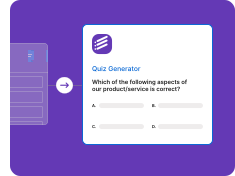
Enable Proctor and set your exam rules
Configure time limits, tracking options, and security settings through our intuitive dashboard.
Step 3
Share the link with your students
Distribute your secure exam link to students. They'll access it through the Proctor interface.
Step 4
Monitor results in real time
Track student progress, view analytics, and generate comprehensive reports through the Proctor dashboard.
Join the Waitlist
Be among the first to try Proctor and get early access before launch.