

Free AI Quiz Generator
AI Quiz Generator: Turn Any PDF, Doc or Topic into a Quiz
Upload a PDF, Word document, or Google Doc, or type a topic, and the AI quiz maker writes multiple choice, true/false, and short answer questions with an answer key. Review it, share it, or export it to Google Forms and other platforms.
No credit card required
Free to start
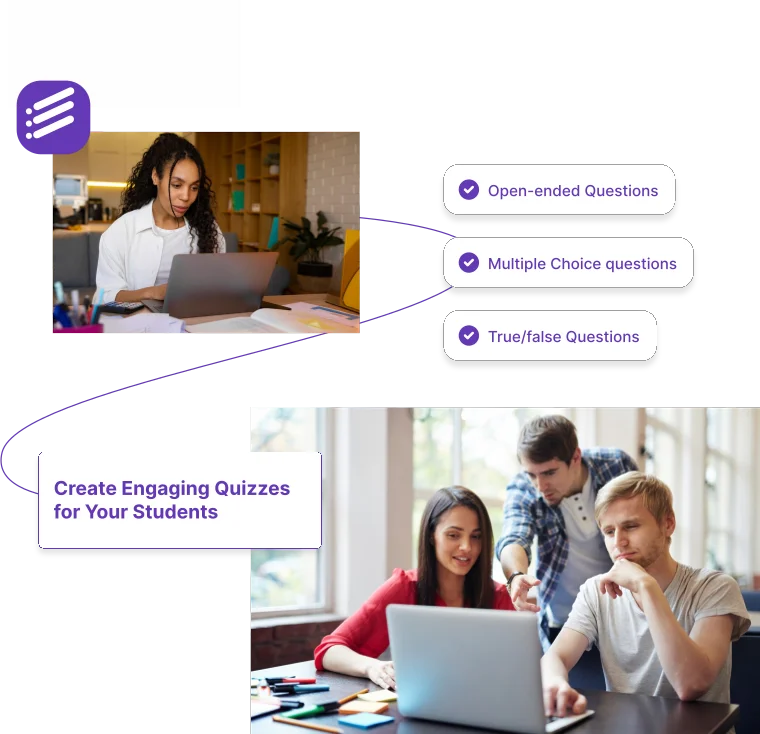
50,000+
Teachers Using Formswrite
500,000+
Quizzes Generated
5
Question Types
30 sec
Average Generation Time
How it works?
Create professional quizzes in minutes. Focus on teaching while our AI handles the assessment creation.
Step 1
Enter Your Topic
Type any subject or topic - from "Photosynthesis" to "World War II" to "Algebra basics". Choose your grade level and preferred question types.

Step 2
AI Generates Your Quiz
The AI processes your topic and generates curriculum-aligned questions with answer keys. Multiple choice, true/false, short answer, and more.
Step 3
Export & Share
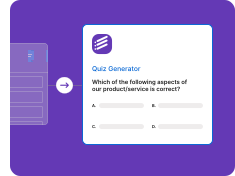
Export your quiz to Google Forms for easy sharing and automatic grading. Or download as PDF, copy to your LMS, or print for class.

Generate Quizzes From Any Document
PDF, Word, Google Docs, or plain text - our AI quiz generator handles every input format
PDF to Quiz
Generate AI quizzes from any PDF - textbooks, articles, lecture notes, or scanned documents
• OCR for scanned PDFs
• Multi-page extraction
• Auto-detect key concepts
• Preserve diagrams & tables
• Quiz generator from PDF
Word Doc to Quiz
Turn .doc and .docx files into interactive quizzes with our AI quiz maker
• .doc and .docx support
• Heading detection
• Format preservation
• Image handling
• Bulk Word conversion
Google Docs to Quiz
Generate quizzes straight from Google Docs with one click
• Live Google Docs sync
• Shared doc support
• Comments preserved
• Version history
• No download needed
Text & Topic to Quiz
Paste any text or describe a topic - the AI quiz generator does the rest
• Paste any text
• Topic-based generation
• Grade-level targeting
• No source needed
• Fast results
Powerful Quiz Generation Features
Everything you need to create perfect assessments for your classroom
AI-Powered Generation
Generate complete quizzes in seconds using AI
• Smart question generation
• Topic understanding
• Grade-level appropriate
• Multiple difficulty levels
• Answer key included
Multiple Question Types
Create diverse assessments with various formats
• Multiple choice
• True/False
• Short answer
• Fill in the blank
• Matching questions
Google Forms Export
One-click export to Google Forms
• Automatic formatting
• Answer key support
• Point values
• Feedback options
• Easy sharing
12+ Languages
Generate quizzes in multiple languages
• English
• Spanish
• French
• German
• And many more...
Why Teachers Love Our Quiz Generator
Join 50,000+ educators who save hours every week
Save Hours Every Week
Create assessments in seconds, not hours
• Fast generation
• No manual typing
• Bulk creation
• Quick edits
• Time tracking
Curriculum-Aligned
Questions tailored to your grade level
• Pre-K to Professional
• Subject-specific
• Standards-aligned
• Difficulty scaling
• Learning objectives
Quiz generator by subject
Open a quiz maker tuned to your subject, with topics and question styles that fit how it is taught and tested.
“This quiz generator has completely transformed how I create assessments. What used to take me hours now takes seconds. My students love the variety of questions, and I love having my evenings back!”
Sarah Mitchell
High School Science Teacher, California
Ready to Save Hours on Quiz Creation?
Join 50,000+ teachers who use Formswrite to create professional assessments in seconds.
Free to start
No credit card
Export to Google Forms
What is an AI quiz generator?
An AI quiz generator reads your teaching material and writes the quiz for you. Formswrite turns any PDF, Word document, or Google Doc into a set of questions with an answer key: upload a textbook chapter, lecture notes, a research paper, or a training manual, and the AI identifies the key concepts and writes questions about them. If you do not have a document, type a topic and grade level and it builds a quiz from scratch.
The difference from a question bank is that the questions come from your own content. A quiz generator from PDF will ask about the diagrams, definitions, and examples in the chapter you actually assigned, which makes the results a better signal of whether students did the reading. Scanned PDFs work too, because OCR is built in.
How to generate a quiz from a PDF
- Upload a PDF, Word doc, or Google Doc, or type a topic. Drop in a textbook chapter, lecture notes, a training manual, or a scanned handout. No document? Type a topic and grade level instead.
- Choose question types and count. Pick multiple choice, true/false, short answer, fill-in-the-blank, or matching, and set how many questions you want and how hard they should be.
- Let the AI write the quiz. The quiz generator reads the source, identifies the key concepts, and writes questions with an answer key. Multiple choice questions get plausible wrong options.
- Review and edit. Check every question against your material, reword anything, change the correct answer, or delete items you do not want.
- Share or export. Share it as a Formswrite form, or on a paid plan export it to Google Forms, Kahoot, Blooket, Gimkit, Wayground (formerly Quizizz), Moodle, Canvas, QTI, and other platforms.
Quiz generator examples
- Biology chapter PDF: 15 multiple choice questions on cell respiration plus five true/false checks, ready for a Friday review.
- History lecture notes in Word: ten short answer questions on the causes of the French Revolution for an exit ticket.
- Vocabulary list in a Google Doc: a matching quiz pairing terms with definitions, followed by fill-in-the-blank sentences.
- Topic only: “Pythagorean theorem, Grade 8” becomes a mixed quiz of computation and word problems with an answer key.
Where your quiz can go
Every generated quiz can be shared as a Formswrite form or studied as flashcards on the free plan. Paid plans add exports to the platforms your school already uses: Google Forms with quiz mode and answer keys, game platforms like Kahoot, Blooket, Gimkit, and Wayground (formerly Quizizz), and learning management systems such as Moodle, Canvas, and Blackboard, plus standard formats like QTI, GIFT, and Aiken. If Google Forms is your main destination, the Google Form quiz maker is built around that workflow.
Tips for better AI-generated quizzes
- Upload the specific pages you taught instead of a whole textbook.
- Ask for a mix of recall and application questions, not only definitions.
- Read every multiple choice distractor; a good wrong answer reflects a real misconception.
- Keep quizzes short and frequent. Ten questions twice a week beats one long test a month.
- For a full exam with many versions, use the multiple choice test generator.
AI quiz generator FAQ
How does the AI quiz generator work?
Upload a PDF, Word document, or Google Doc, or type a topic. The AI reads the material, finds the concepts worth testing, and writes questions with an answer key in the question types you choose. You review and edit everything before you share or export the quiz.
Can I make a quiz from a PDF?
Yes. The quiz generator from PDF works with textbook chapters, lecture notes, articles, and scanned documents thanks to built-in OCR. Questions are based on the content of your PDF rather than generic trivia.
Is the AI quiz generator free?
You can start free with no credit card, generate quizzes, and share them as a Formswrite form or as flashcards. Exporting to other platforms such as Google Forms, Kahoot, Blooket, Moodle, or Canvas is included in paid plans.
What question types can it create?
Multiple choice, true/false, short answer, fill-in-the-blank, and matching. You can pick specific types or mix them in one quiz.
Which platforms can I export a quiz to?
Paid plans export to Google Forms, Kahoot, Blooket, Gimkit, Wayground (formerly Quizizz), Moodle, Canvas, Blackboard, QTI, Aiken, GIFT, and many more. The native Formswrite form and flashcards are available on the free plan.
Can I edit the questions before sharing?
Yes. Every question, answer option, and answer key is editable. Most teachers adjust a few questions to match the exact wording used in class.
Does it create quizzes in other languages?
Yes. The AI quiz maker can generate quizzes in more than 12 languages, including Spanish, French, and German.
More ways to build a quiz
Pick the tool that matches where your questions come from and where they need to go.
PDF to Quiz
Turn a PDF into a quiz with an answer key.
PDF to MCQ
Pull multiple choice questions out of any PDF.
Google Form Quiz Maker
Build a self-grading Google Forms quiz.
Multiple Choice Test Generator
Create a full multiple choice exam.
Kahoot Generator
Turn your material into a Kahoot game.
AI Study Guide Maker
Flashcards and practice questions for review.
Related guides
- AI Quiz Generator from any document - the full walkthrough with examples.
- Best free quiz generators for educators - how the options compare.
- How to create a Google Form quiz - set up quiz mode and answer keys.
- Printable quiz generator guide - create and print quizzes for paper tests.
Simple, Transparent Pricing
Start for free. Upgrade anytime.
Yearly
✨ Save 70%
Payment will be processed in USD, EUR, SGD, BRL, JPY, or INR.
Free
Get started free with 5 forms
Free
No credit card required.

5 Formswrite Forms
AI Builder (Fred AI)
10 AI questions per month
Browse Question Bank
Best Value
Pro
Unlimited everything, no limits
$79
/yearCancel anytime.
Everything in Free, plus:
Unlimited conversions
All 25+ export formats
Unlimited AI questions
Unlimited AI Lesson Plans
Unlimited AI Rubrics
Unlimited AI Worksheets
Flashcards
Presentation Decks
AI Video Lessons
Audio Lessons
Comics
Podcasts
Formswrite Play (Gamify Quizzes)
YouTube Video to Quiz
Bulk convert
Priority support
Lifetime
Pay once, use forever
$199
one-timeOne-time payment. No recurring fees.
Everything in Pro
Flashcards
Presentation Decks
AI Video Lessons
Audio Lessons
Comics
Podcasts
Formswrite Play (Gamify Quizzes)
YouTube Video to Quiz
One-time payment
Lifetime access to all features
All future updates included
Priority support forever