

Google Form Quiz Maker
Google Form Quiz Maker: Build a Self-Grading Quiz from Any Document
Drop in a PDF, Word doc, or Google Doc, or type a topic, and the AI builds a Google Forms quiz with answer keys, point values, and quiz mode turned on. No manual question-writing, no answer-key entry, no Apps Script.
Free to start
No credit card
Answer keys included

41,000+
Teachers Using Formswrite
5M+
Quizzes Generated
5
Question Types
45 sec
Avg Quiz Time
How it works?
From source to ready-to-share Google Forms quiz in under a minute.
Step 1
Pick Your Source
Upload a PDF, Word doc, Google Doc, paste a YouTube link, or just type a topic. The AI works from any source - or none.

Step 2
AI Builds Your Quiz
The AI extracts key concepts, writes multiple choice + short answer + true/false questions with answer keys, and applies Bloom's taxonomy alignment automatically.
Step 3
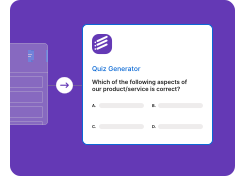
Quiz Lives in Your Google Drive
The Google Forms quiz is created in your Drive - quiz mode on, answer keys preserved, self-grading enabled, ready to share with Google Classroom or any class link.

Every Source, Every Quiz
PDFs, Word docs, Google Docs, plain topics, YouTube videos - every source becomes a Google Forms quiz.
From PDF / Textbook
Drop a textbook chapter or PDF and the AI generates a complete Google Forms quiz with answer keys.
• Chapter-aware questions
• Concept extraction
• Multiple choice + short answer
• Auto answer keys
• Bloom's taxonomy aligned
From Word / Google Doc
Existing Word or Google Doc study material → Google Forms quiz in seconds.
• .docx / Google Doc
• Lesson plan → quiz
• Study guide → quiz
• Notes → quiz
• Editable before export
From Plain Topic
Just type a topic ("photosynthesis", "World War 2") and the AI generates a quiz from scratch.
• No source needed
• Grade-level matched
• Curriculum aligned
• Adjustable difficulty
• Custom question count
From YouTube Video
Paste a YouTube link - the AI transcribes, extracts concepts, and builds a Google Forms quiz.
• YouTube transcript
• Concept extraction
• Quiz on video content
• Timestamp citations
• Multi-video playlist support
Built for Real Google Forms Quiz Workflows
Direct Google Drive output, every quiz question type, answer keys + self-grading.
Direct to Google Forms
Quiz is created as a real Google Form in your Drive - answer keys preserved, quiz mode on, self-grading enabled.
• Real Google Form output
• Quiz mode auto-enabled
• Answer keys preserved
• Point values set
• Lives in your Drive
Every Quiz Question Type
Multiple choice, true/false, short answer, dropdown, checkbox - Google Forms supports them all, and so does the generator.
• Multiple choice (auto-distractors)
• True / False
• Short answer
• Dropdown
• Checkbox
Self-Grading + Answer Feedback
Students see their score as soon as grades are released. Add explanation feedback to each question for self-study.
• Automatic student scores
• Per-question feedback
• Score-release rules
• Class-level analytics
• Retake controls
Start Free, Upgrade to Export
No credit card to start. Generate and edit quizzes on the free plan, then upgrade when you are ready to export to Google Forms.
• Free plan to start
• No credit card
• Formswrite form and flashcards free
• Google Forms export on paid plans
• Cancel anytime
Who Generates Google Forms Quizzes with Formswrite
From classroom teachers to coaching institutes - 41,000+ educators every week.
For K-12 & University Teachers
From textbook chapter to ready-to-share Google Forms quiz in under a minute. Self-grading on by default.
• Textbook → quiz
• Google Classroom share
• Self-grading enabled
• Standards aligned
• Class-level analytics
For Coaching & Test Prep
Generate JEE, NEET, SAT, ACT-style Google Forms quizzes from your prep PDFs. Bulk-create study sets in minutes.
• JEE / NEET / UPSC
• SAT / ACT / GRE
• IB / CBSE / IGCSE
• Mock exam batches
• Per-student progress
“Friday evening I used to sit down to write Monday's quiz from scratch. Now I drop the week's chapter PDF into Formswrite, get a 20-question Google Forms quiz with answer keys and self-grading enabled, and I'm done in 60 seconds. Game-changer for my prep time.”
Lukas Schäfer
7th Grade Science Teacher, Munich
Stop Writing Google Forms Quizzes by Hand
Drop in any source and get a complete Google Forms quiz with answer keys. Free to start.
Free to start
No credit card
Answer keys included
What the Google Form Quiz Maker does
Formswrite is a Google Form Quiz Maker for teachers who want a self-grading quiz without typing every question into Google Forms. Drop in a PDF, Word doc, or Google Doc, or type a topic, and the AI builds a complete quiz: it extracts the concepts, identifies the facts worth assessing, writes the questions, generates plausible distractors for multiple choice, marks the correct answer, and assigns point values. When you export, the quiz is created as a real Google Form in your Drive with quiz mode on, so you can edit it in Google Forms like any other form.
How to make a Google Forms quiz with AI
- Pick your source. Upload a PDF, Word doc, or Google Doc, or type a topic and grade level into the Google Form Quiz Maker.
- Choose question types and length. Select multiple choice, checkboxes, dropdown, true/false, or short answer, and set how many questions and how difficult they should be.
- Generate and review the quiz. The AI writes the questions, the answer options, and the answer key. Edit wording, points, or correct answers before you export.
- Export to Google Forms. Send the quiz to your Google Drive as a Google Form with quiz mode turned on, correct answers marked, and point values set.
- Share and let it grade itself. Share the link or post it in Google Classroom. Google Forms scores the auto-gradable questions and shows results in the Responses tab.
How to make a quiz in Google Forms by hand
If you only need a few questions, Google Forms works fine on its own. This is the manual process the Google Form Quiz Maker automates:
- Go to forms.google.com and open a Blank form.
- Open the Settings tab and turn on "Make this a quiz".
- Add a question with the plus button and choose a type such as Multiple choice, Checkboxes, Dropdown, or Short answer.
- Click "Answer key" under the question, select the correct answer, and enter the point value. Add answer feedback if you want.
- Repeat for every question, then decide in Settings whether to release grades right after each submission or later after manual review.
- Click Send to copy the link, or attach the form to an assignment in Google Classroom.
Steps three and four are where the time goes: for every question you type the stem, type each option, open the answer key, and set the points. Generating the quiz from your document removes that repetition, and you can still open the finished form in Google Forms to change anything.
Create a Google Forms quiz from a PDF or a topic
Drop in a textbook chapter, study guide, lab handout, or lecture PDF and the AI identifies the key learning objectives, writes questions anchored to the source content, and spreads them across Bloom's taxonomy levels (remember, understand, apply, analyze). No source document? Type a subject such as "photosynthesis" or "Pythagorean theorem" along with grade level and question count, and the AI generates a quiz from scratch. That is handy for quick check-ins, warm-ups, and exit tickets.
Tips for self-grading Google Forms quizzes
- Prefer multiple choice, checkboxes, and dropdown when you want fully automatic scoring.
- For short answer, list every acceptable spelling in the answer key, or grade those items manually.
- Add answer feedback so students learn from mistakes when scores are released.
- Turn on shuffle question order in the quiz settings to reduce copying.
- Need to add a key to a form you already have? Use the answer key for Google Form tool.
Free vs paid
You can start free with no credit card, generate quizzes, and share them as a Formswrite form or flashcards. Exporting to Google Forms, along with Kahoot, Blooket, Moodle, Canvas, and the other supported platforms, is included in the paid plans. See the pricing table below for the current plans.
Google Form Quiz Maker FAQ
What is a Google Form Quiz Maker?
A Google Form Quiz Maker is a tool that builds a quiz for Google Forms for you. With Formswrite you upload a document or type a topic, the AI writes questions and marks the correct answers, and the quiz is created as a Google Form with quiz mode, answer keys, and point values already set.
How do I make a quiz in Google Forms from a PDF?
Upload the PDF to the Formswrite Google Form Quiz Maker, choose question types and how many questions you want, review the generated quiz, and export it to Google Forms. Scanned PDFs work because OCR is built in. The quiz appears in your Google Drive ready to share.
Is the Google Form Quiz Maker free?
You can start free with no credit card and generate and edit quizzes. The free plan includes the native Formswrite form and flashcards. Exporting the quiz to Google Forms, and to other platforms like Kahoot, Blooket, Moodle, or Canvas, is part of the paid plans.
Does it set the answer key and points automatically?
Yes. Every generated question has its correct answer marked and a point value set, and quiz mode is turned on in the exported Google Form, so self-grading works for multiple choice, checkbox, and dropdown questions. You can change any answer or point value before exporting.
Which question types work in a Google Forms quiz?
Google Forms can auto-grade multiple choice, checkboxes, and dropdown questions, and short answer questions when the response matches an answer you list. Paragraph answers need manual grading. The Google Form Quiz Maker generates all of these types.
Can I share the quiz in Google Classroom?
Yes. Because the output is a regular Google Form in your Drive, you can attach it to a Google Classroom assignment, share a link, or embed it like any other form.
How is this different from building a quiz in Google Forms directly?
In Google Forms you type each question, add the options, and set the answer key one question at a time. The Google Form Quiz Maker writes the questions from your material and fills in the answer key and points for you, and the result is still a normal, editable Google Form.
More Google Forms tools
Everything else you need around a Google Forms quiz.
Answer Key for Google Form
Add or fix answer keys on an existing Google Form.
AI Grader for Google Forms
Grade short and long answers in Google Forms with AI.
PDF to Google Form
Convert a PDF of questions into a Google Form.
Word to Google Form
Turn a Word document into a Google Form quiz.
Google Form QR Code Generator
Print a QR code so students can open the quiz.
AI Quiz Generator
Generate quizzes for any platform, not just Google Forms.
Related guides
- How to create a Google Form quiz - the manual method in detail.
- How to make an answer key in Google Forms - points, correct answers, and feedback.
- Google Forms quiz maker: from Google Docs to Google Form - convert questions you already wrote.
- How to create a Google Form exam - settings for tests and exams.
Simple, Transparent Pricing
Start for free. Upgrade anytime.
Yearly
✨ Save 70%
Payment will be processed in USD, EUR, SGD, BRL, JPY, or INR.
Free
Get started free with 5 forms
Free
No credit card required.

5 Formswrite Forms
AI Builder (Fred AI)
10 AI questions per month
Browse Question Bank
Best Value
Pro
Unlimited everything, no limits
$79
/yearCancel anytime.
Everything in Free, plus:
Unlimited conversions
All 25+ export formats
Unlimited AI questions
Unlimited AI Lesson Plans
Unlimited AI Rubrics
Unlimited AI Worksheets
Flashcards
Presentation Decks
AI Video Lessons
Audio Lessons
Comics
Podcasts
Formswrite Play (Gamify Quizzes)
YouTube Video to Quiz
Bulk convert
Priority support
Lifetime
Pay once, use forever
$199
one-timeOne-time payment. No recurring fees.
Everything in Pro
Flashcards
Presentation Decks
AI Video Lessons
Audio Lessons
Comics
Podcasts
Formswrite Play (Gamify Quizzes)
YouTube Video to Quiz
One-time payment
Lifetime access to all features
All future updates included
Priority support forever