

Free AI Worksheet Maker
Worksheet Generator: Make Printable Worksheets with AI
Stop spending evenings formatting practice pages. Enter a topic and grade level, pick the activity types, and the AI worksheet generator builds a print-ready worksheet with an answer key that you can edit.
No credit card required
Free to start

50,000+
Teachers Using Formswrite
250,000+
Worksheets Generated
5
Activity Types
45 sec
Average Generation Time
How it works?
Create professional worksheets in minutes. Focus on teaching while our AI handles the material creation.
Step 1
Enter Your Topic
Type any subject or learning objective - from "Addition with carrying" to "Parts of speech" to "The water cycle". Select your grade level and activity types.

Step 2
AI Creates Your Worksheet
The AI generates curriculum-aligned exercises with clear instructions and answer keys. Fill-in-the-blank, matching, word problems, and more.
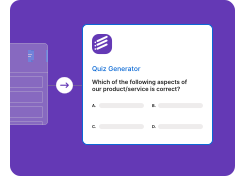
Step 3
Print or Share
Download as a print-ready PDF, share digitally with students, or export to Google Docs for further customization.

Powerful Worksheet Generation Features
Everything you need to create perfect practice materials for your classroom
AI-Powered Generation
Generate complete worksheets in seconds using AI
• Smart content generation
• Topic understanding
• Grade-level appropriate
• Multiple activity types
• Answer key included
Multiple Activity Types
Create diverse worksheets with various exercises
• Fill in the blanks
• Matching exercises
• Word problems
• Reading comprehension
• Vocabulary practice
Print-Ready PDF Export
Download beautifully formatted worksheets
• Professional formatting
• Print-optimized layout
• Multiple page support
• Header/footer options
• Answer key pages
Customizable Templates
Personalize worksheets to match your needs
• Add your school logo
• Custom instructions
• Difficulty levels
• Question counts
• Subject-specific styles
Why Teachers Love Our Worksheet Generator
Join 50,000+ educators who save hours every week
Save Hours Every Week
Create worksheets in seconds, not hours
• Fast generation
• No manual formatting
• Bulk creation
• Quick edits
• Reusable templates
Curriculum-Aligned
Worksheets tailored to your grade level
• Pre-K to Professional
• Subject-specific
• Standards-aligned
• Scaffolded difficulty
• Learning objectives
“The worksheet generator has been a game-changer for my classroom. I can create differentiated practice materials for all my students in minutes instead of hours. The quality is amazing!”
Jennifer Thompson
4th Grade Teacher, Texas
Ready to Save Hours on Worksheet Creation?
Join 50,000+ teachers who use Formswrite to create professional worksheets in seconds.
Free to start
No credit card
Print-ready PDFs
What is an AI worksheet generator?
A worksheet generator is a tool that builds practice pages for you. You describe the skill, the grade level, and the kinds of activities you want, and the Formswrite worksheet maker writes the instructions, the items, and the answer key. Whether you call it a worksheet maker, a worksheet creator, or an AI worksheet generator, the goal is the same: a clean, printable worksheet in the time it takes to type the topic.
Generic worksheet sites give you a fixed library of pages. An AI worksheet generator starts from your lesson instead. Type “multiplication tables for 3rd grade” or “reading comprehension for 5th grade ELA”, or paste your own passage, and the worksheet matches what you are teaching this week rather than something close enough.
How to make a worksheet in five steps
- Enter the topic and grade level. Type the skill or learning objective, such as "two-digit addition with regrouping, Grade 2" or "causes of World War I, Grade 10". You can also paste a passage or your own notes as the source.
- Pick the activity types. Choose a mix of fill-in-the-blank, matching, word problems, reading comprehension, and vocabulary practice so the worksheet does more than repeat one format.
- Set the length and difficulty. Decide how many items you want and whether difficulty should stay level or build from easier to harder across the page.
- Generate and review. The AI worksheet generator writes clear instructions, the items, and an answer key. Edit wording, swap items, or add your own before printing.
- Print or share. Download a print-ready PDF with the answer key on its own page, or share the worksheet digitally with your class.
Worksheet examples you can generate
- Grade 2 math: 20 two-digit addition problems with regrouping, getting harder down the page, plus three short word problems and an answer key.
- Grade 5 reading: a short nonfiction passage about volcanoes with five comprehension questions, a vocabulary matching section, and one written response prompt.
- Grade 8 science: fill-in-the-blank review of the parts of a cell with a word bank, followed by matching organelles to their functions.
- High school Spanish: preterite versus imperfect practice with sentence completion and a short translation section.
Who the worksheet creator is for
Elementary teachers use it for daily math and phonics practice. Middle and high school teachers use it for vocabulary review, homework, and bell ringers. Special education and intervention teachers generate the same topic at two or three levels to differentiate. Tutors and homeschool parents use it to build a week of practice in one sitting. If you need more math story problems specifically, the word problem generator goes deeper on that one format.
Tips for better worksheets
- Name one skill per worksheet. “Fractions” is vague; “adding fractions with unlike denominators” is not.
- Mix at least two activity types so students have to think, not pattern-match.
- Put a worked example at the top for new skills.
- Keep the answer key separate when you print so the page works as independent practice.
- Want to check mastery afterwards? Turn the same topic into a graded quiz with the AI quiz generator.
Worksheet generator FAQ
What is an AI worksheet generator?
An AI worksheet generator creates practice worksheets from a topic, a grade level, and the activity types you choose. Formswrite writes the instructions, the questions or problems, and an answer key, so you get a ready-to-print worksheet you can edit instead of building one from scratch.
Is the Formswrite worksheet maker free?
You can start free with no credit card and generate worksheets right away. Paid plans add higher volume and the platform exports available across Formswrite.
What kinds of activities can a worksheet include?
Fill-in-the-blank, matching, word problems, reading comprehension passages with questions, and vocabulary practice. You can mix several activity types on one worksheet.
Does every worksheet come with an answer key?
Yes. Each generated worksheet includes an answer key, formatted on separate pages when you print, so you can hand out the student copy and keep the key.
Can I make worksheets for different grade levels from the same topic?
Yes. Change the grade level and generate again to get a simpler or more challenging version of the same topic. This is a quick way to differentiate for students who need extra support or extension work.
Can I edit the worksheet before printing?
Yes. Every instruction, item, and answer is editable, so you can match the wording you use in class, remove items, or add your own examples.
More AI tools for teachers
Plan, practice, and assess with the rest of the Formswrite toolkit.
Word Problem Generator
Create math word problems for any grade and skill.
AI Quiz Generator
Turn a topic or document into a quiz with an answer key.
Lesson Plan Generator
Plan the lesson that the worksheet practices.
Rubric Generator
Make a rubric for projects and written work.
Bubble Sheet Generator
Print answer sheets for paper tests.
PDF to Flashcards
Turn class notes into a flashcard deck.
Related guides
- AI Worksheet Generator: the complete guide - formats, examples, and printing tips.
- How to create and print quizzes - when a printable quiz fits better than a worksheet.
- Free digital footprint worksheet - a ready-made worksheet you can also turn into a form.
Simple, Transparent Pricing
Start for free. Upgrade anytime.
Yearly
✨ Save 70%
Payment will be processed in USD, EUR, SGD, BRL, JPY, or INR.
Free
Get started free with 5 forms
Free
No credit card required.

5 Formswrite Forms
AI Builder (Fred AI)
10 AI questions per month
Browse Question Bank
Best Value
Pro
Unlimited everything, no limits
$79
/yearCancel anytime.
Everything in Free, plus:
Unlimited conversions
All 25+ export formats
Unlimited AI questions
Unlimited AI Lesson Plans
Unlimited AI Rubrics
Unlimited AI Worksheets
Flashcards
Presentation Decks
AI Video Lessons
Audio Lessons
Comics
Podcasts
Formswrite Play (Gamify Quizzes)
YouTube Video to Quiz
Bulk convert
Priority support
Lifetime
Pay once, use forever
$199
one-timeOne-time payment. No recurring fees.
Everything in Pro
Flashcards
Presentation Decks
AI Video Lessons
Audio Lessons
Comics
Podcasts
Formswrite Play (Gamify Quizzes)
YouTube Video to Quiz
One-time payment
Lifetime access to all features
All future updates included
Priority support forever