

Quizizz is now Wayground
Wayground (Formerly Quizizz) Maker: Turn Any Document into a Quiz
Upload a PDF, Word document, or Google Doc and Formswrite turns it into a quiz you can import into Wayground, the new name for Quizizz. AI extracts every question and answer choice, and it works with scanned PDFs too.
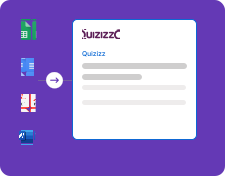
How it works

Create engaging Wayground (Quizizz) quizzes from any document format in minutes. Turn educational content into fun, self-paced learning experiences.
Step 1
Upload Your Document
Upload any document format - Google Docs, Google Sheets, PDF, or Word. Our system automatically detects the format and optimizes the conversion process for Wayground (Quizizz).

Step 2
AI-Powered Wayground Conversion
Our AI processes your document, identifies questions and answers, then converts everything into a Wayground-compatible format ready to import.
Step 3
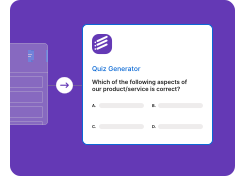
Launch Your Wayground Quiz
Import your converted quiz into Wayground and launch it. Students can play at their own pace with feedback and progress tracking.

Quizizz is now Wayground
If you have been looking for Quizizz and landed on Wayground, you are in the right place. On June 24, 2025, Quizizz announced that it was rebranding as Wayground. The company explained that the platform had grown from an interactive quiz tool, which it started as in 2015, into a broader supplemental learning platform supported by AI, and the new name was meant to reflect that. Alongside the new name it announced updates such as curriculum alignment, lesson bundles, and expanded accommodations.
For teachers who make quizzes, the practical takeaway is simple: the quiz platform you know as Quizizz is the one now called Wayground, and many people, search results, and older guides still use the old name. In Formswrite the export target is labeled Wayground/Quizizz. For the full story, read Quizizz is now Wayground.
How to make a Wayground quiz from a document
- Upload your document. Upload a PDF, Word document, Google Doc, or Google Sheet with your questions. Scanned PDFs are read with OCR.
- Review the questions and answers. Formswrite detects each question, the answer choices, and the correct answer. Edit anything before exporting.
- Download the Wayground (Quizizz) file. Choose Wayground/Quizizz as the export target and download the file Formswrite prepares for import.
- Import it into Wayground. Log in to your Wayground account, create a new quiz, and use the spreadsheet import option to upload the file.
- Review, save, and launch. Check the imported questions, adjust settings and timers, then save the quiz and assign it or host it live.
What you can turn into a Wayground quiz
- A PDF worksheet or past test: questions and answer choices are extracted, even from scanned pages, and cleaned up for import.
- A Word or Google Doc review sheet: the questions you already wrote become a self-paced review game without copying them one by one.
- A shared spreadsheet question bank: a department Google Sheet exported once and reused across classes.
- A topic with no questions yet: generate the questions first with the AI quiz generator, then export them to Wayground.
Tips for a smooth import
- Keep each question with its answer choices directly underneath in your document.
- Mark the correct answer clearly, or include an answer key, so it is detected reliably.
- Review scanned pages before exporting, since OCR can misread symbols.
- After importing, set timers and game settings in Wayground before you assign or host the quiz.
Supported Document Formats
Google Docs to Wayground
Convert Google Docs directly to Wayground (Quizizz) quizzes
• Real-time Google Docs sync
• Collaborative editing support
• Version history tracking
• Format preservation
• Automatic question detection
Google Sheets to Wayground
Transform spreadsheet data into Wayground (Quizizz) quizzes
• Bulk question import
• Data validation
• Formula preservation
• Multiple sheet support
• Automatic formatting
PDF to Wayground
Extract questions from PDFs for Wayground (Quizizz) quizzes
• OCR text extraction
• Image preservation
• Table detection
• Multi-page support
• Format cleaning
Word to Wayground
Convert Word documents to Wayground (Quizizz) format
• .doc and .docx support
• Style preservation
• Image handling
• Table conversion
• Structure optimization
Wayground (Quizizz) Integration Features
Wayground Quiz Creation
Interactive quiz generation for Wayground, formerly Quizizz
• Self-paced learning
• Memes and feedback
• Power-ups and themes
• Image and video support
• Student progress tracking
Smart Conversion Engine
AI-powered document processing
• Question type detection
• Answer extraction
• Game optimization
• Wayground-ready formatting
• Bulk conversion support
Wayground (Quizizz) maker FAQ
Is Quizizz now called Wayground?
Yes. Quizizz announced on June 24, 2025 that it was rebranding as Wayground. The company said the new name reflects its growth from a quiz tool into a broader supplemental learning platform supported by AI. Many teachers still search for it as Quizizz.
How do I convert a PDF to a Wayground (Quizizz) quiz?
Upload the PDF to Formswrite. It extracts the questions and answer choices, including from scanned PDFs through OCR, and lets you review them. Then export the Wayground/Quizizz file and import it into Wayground with the spreadsheet import option.
Is Formswrite a Wayground or Quizizz maker?
Yes. Formswrite works as a Wayground (formerly Quizizz) maker: upload a document or paste your questions, and it builds an import-ready question set with question types and answer keys detected, so you do not retype anything.
Can I convert a Word document or Google Doc to Wayground?
Yes. Formswrite handles .doc, .docx, PDF, Google Docs, and Google Sheets, and all of them export to Wayground with the same workflow.
Is exporting to Wayground free?
Exporting to Wayground (Quizizz) is part of the Formswrite paid plans. The free plan lets you start without a credit card and includes the native Formswrite form.
Do old Quizizz guides still work?
The basic idea is the same: you create a quiz and import questions into it. Menu names and screens may look different after the rebrand, so follow the labels you see in your Wayground account.
More game and quiz platforms
Send the same questions to the other platforms your students play.
Related Wayground and Quizizz guides
- Quizizz is now Wayground - what changed and what it means for teachers.
- PDF to Quizizz - step-by-step PDF conversion.
- Word document to Quizizz - convert a Word file.
- Google Form to Quizizz - move a Google Forms quiz over.
Simple, Transparent Pricing
Start for free. Upgrade anytime.
Yearly
✨ Save 73%
Prices are in USD. Checkout shows your local currency where available.
Free
Get started free with 5 forms
Free
No credit card required.

5 Formswrite Forms
AI Builder (Fred AI)
10 AI questions per month
Browse Question Bank
Best Value
Pro
Unlimited everything, no limits
$79
/yearCancel anytime.
Everything in Free, plus:
Unlimited conversions
All 25+ export formats
Unlimited AI questions
Unlimited AI Lesson Plans
Unlimited AI Rubrics
Unlimited AI Worksheets
Flashcards
Presentation Decks
AI Video Lessons
Audio Lessons
Comics
Podcasts
Formswrite Play (Gamify Quizzes)
YouTube Video to Quiz
Bulk convert
Priority support
Lifetime
Pay once, use forever
$199
one-timeOne-time payment. No recurring fees.
Everything in Pro
One-time payment
Lifetime access to all features
All future updates included
Priority support forever